You signed in with another tab or window. Reload to refresh your session.You signed out in another tab or window. Reload to refresh your session.You switched accounts on another tab or window. Reload to refresh your session.Dismiss alert
{{ message }}
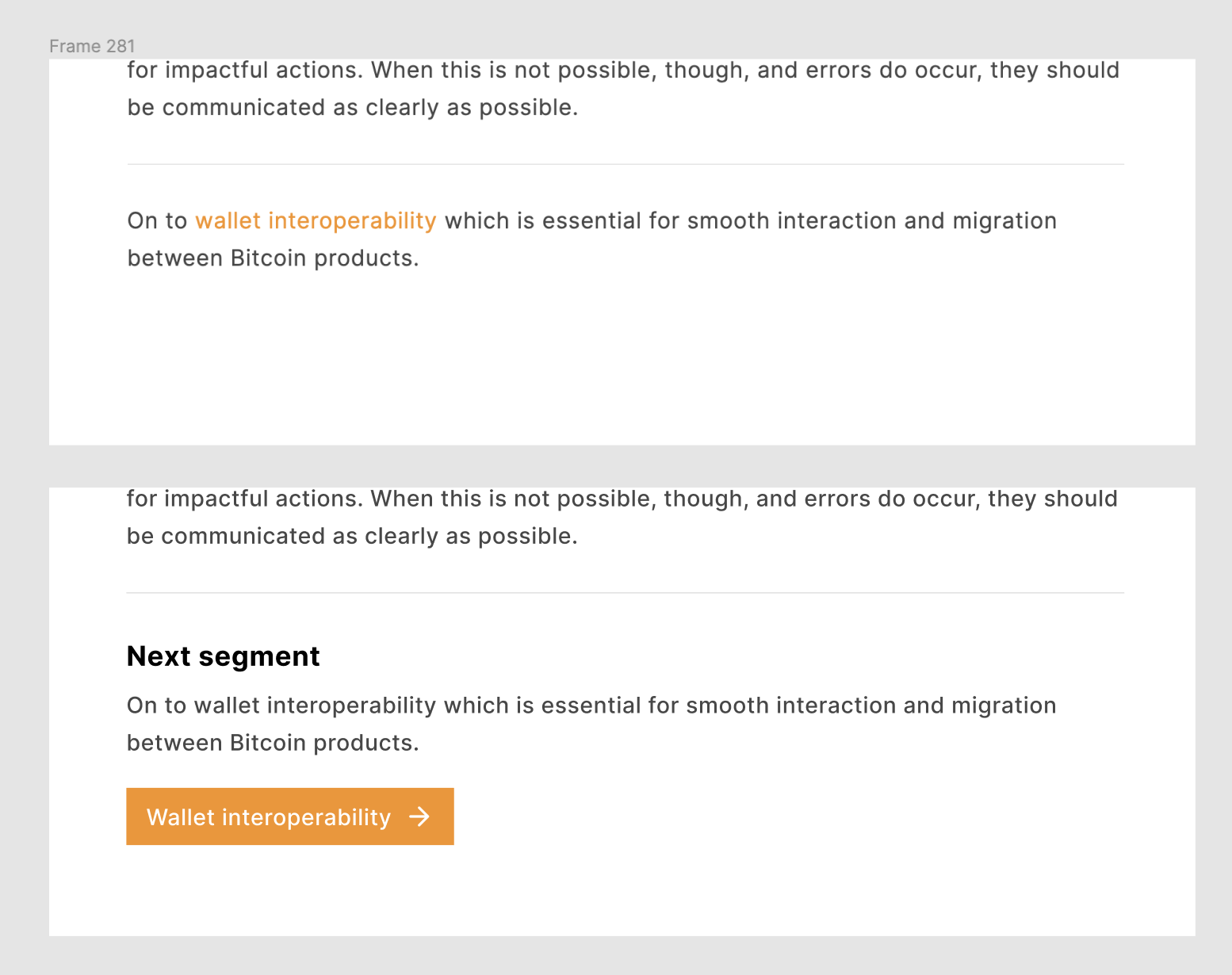
Create a button for the > next chapter segment #372
Would be great to have a much more clear indicator for the next chapter/segment. Right now the text link does not feel like it gives great clarity on how to navigate to the next page.
Let's tackle this in design first and come up with a button system for the site that we can use as needed. I believe we also talked at some point about adding buttons to other pages for bigger call-to-actions..
We could also have the primary button on the right and a secondary button on the left returning to the previous section. As this guide is mostly reference material I imagine some may go back and forth.
How about something like this? It's a bit more subtle and Includes a back link to the previous page. With the back link being just an icon, it also work on mobile. The black outline link works well with the footer style.

Activity
[-]Create a button for next/previous chapter segment[/-][+]Create a button for the > next chapter segment [/+]GBKS commentedon Jun 3, 2021
Let's tackle this in design first and come up with a button system for the site that we can use as needed. I believe we also talked at some point about adding buttons to other pages for bigger call-to-actions..
Bosch-0 commentedon Jun 4, 2021
We could also have the primary button on the right and a secondary button on the left returning to the previous section. As this guide is mostly reference material I imagine some may go back and forth.
Bosch-0 commentedon Jun 9, 2021
We should also include this button at the bottom of chapter landing pages that re-directs to the next chapter skipping over the internal content.
So a button at the bottom of Designing Bitcoin Products would re-direct to Onboarding.
GBKS commentedon Jun 28, 2021
How about something like this? It's a bit more subtle and Includes a back link to the previous page. With the back link being just an icon, it also work on mobile. The black outline link works well with the footer style.
pavlenex commentedon Jun 28, 2021
Concept ACK @GBKS I love it.
Bosch-0 commentedon Jun 29, 2021
Concept ACK from me! Maybe try having the next on the right hand side rather than both on the left.
GBKS commentedon Jul 1, 2021
Here's what that would look like. I prefer left-aligned.
New next and previous buttons