Bug description
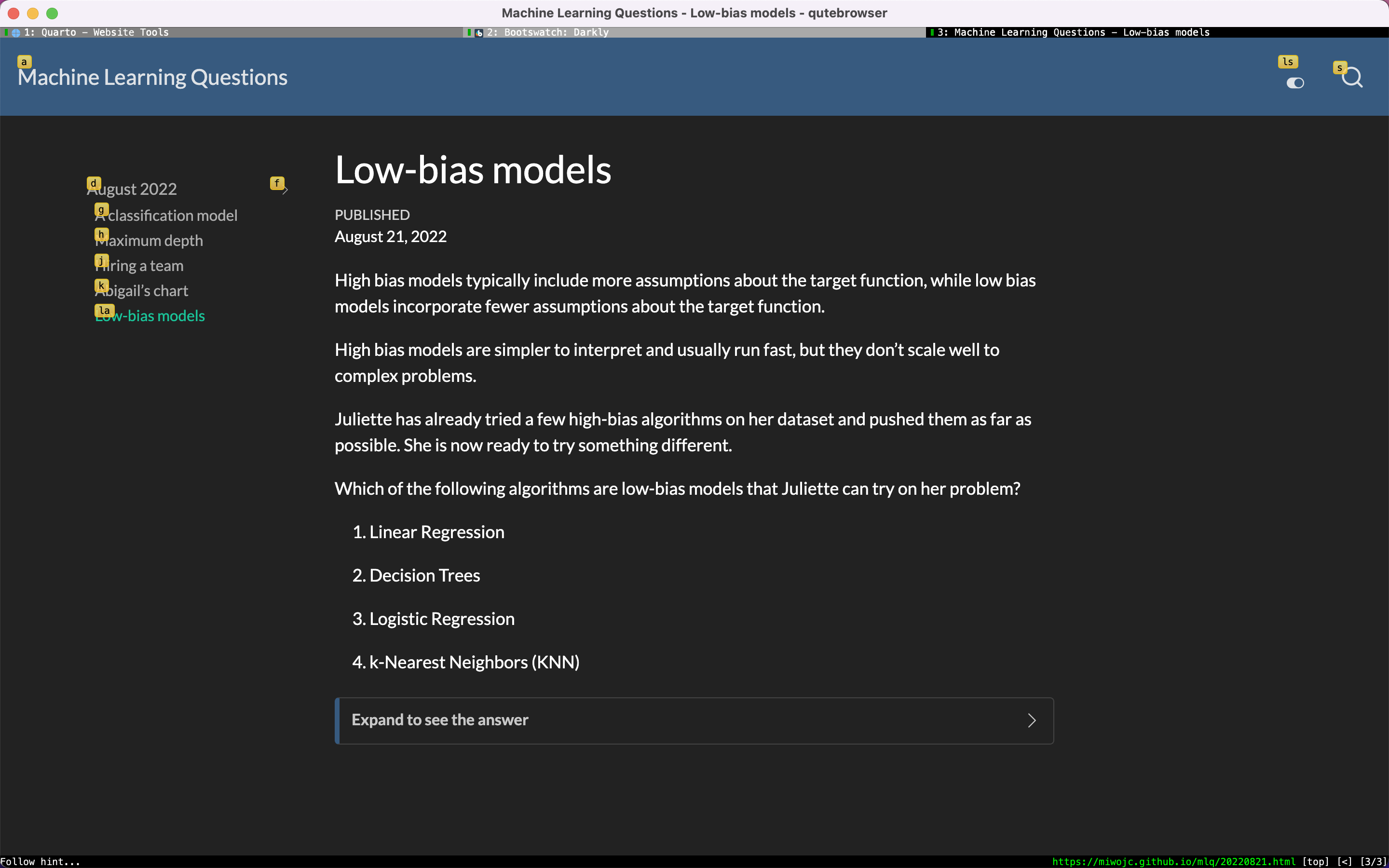
Would be great if collapsed sections would be accessible for follow hints, for example in qutebrowser or vimium/vimium-FF
In this screenshot the collapsed section doesn't get it's own follow hint, making it not possible to navigate to it without mose. This website was generated by quarto from markdown files using github workflow actions from this repo: https://github.com/miwojc/mlq
Website is built to gh-pages branch as per quarto instructions.
quarto check Output
quarto check

[✓] Checking Quarto installation......OK
      Version: 0.9.476
      Path: /Applications/quarto/bin

[✓] Checking basic markdown render....OK

[✓] Checking Python 3 installation....OK
      Version: 3.9.13 (Conda)
      Path: /Users/username/mambaforge/bin/python
      Jupyter: 4.10.0
      Kernels: python3, dyalog-kernel

[✓] Checking Jupyter engine render....OK

[✓] Checking R installation...........(None)

      Unable to locate an installed version of R.
      Install R from https://cloud.r-project.org/
quarto tools check Output
quarto tools check
(\) Reading Tool DataDownload https://deno.land/x/cache@0.2.12/directories.ts
(|) Reading Tool DataDownload https://deno.land/x/cache@0.2.12/deps.ts
[✓] Reading Tool Data
Tool                Status                          Installed     Latest
tinytex             Not installed                   ----          v2022.08
chromium            Not installed                   ----          869685
Checklist


Bug description
Would be great if collapsed sections would be accessible for follow hints, for example in qutebrowser or vimium/vimium-FF
In this screenshot the collapsed section doesn't get it's own follow hint, making it not possible to navigate to it without mose. This website was generated by quarto from markdown files using github workflow actions from this repo: https://github.com/miwojc/mlq
Website is built to
gh-pagesbranch as per quarto instructions.quarto checkOutputquarto check [✓] Checking Quarto installation......OK Version: 0.9.476 Path: /Applications/quarto/bin [✓] Checking basic markdown render....OK [✓] Checking Python 3 installation....OK Version: 3.9.13 (Conda) Path: /Users/username/mambaforge/bin/python Jupyter: 4.10.0 Kernels: python3, dyalog-kernel [✓] Checking Jupyter engine render....OK [✓] Checking R installation...........(None) Unable to locate an installed version of R. Install R from https://cloud.r-project.org/quarto tools checkOutputChecklist
quarto checkin the "Quarto Check Output" text area?quarto tools checkin the "Quarto Tools Check Output" text area?