Repository navigation
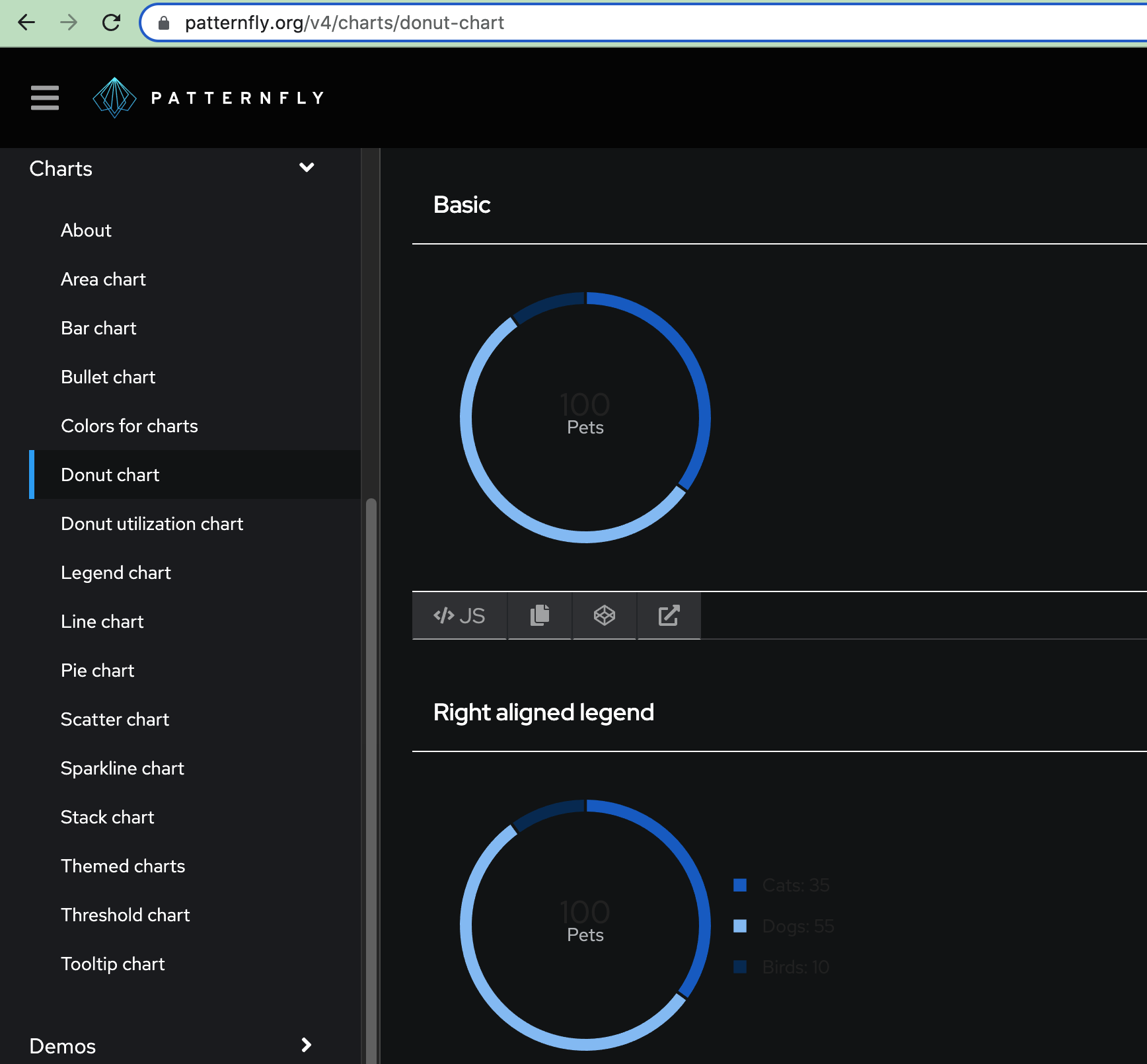
Charts - update for dark theme support #7188

Description

Design review confirmed many colors in the charts package were built to work well in both light & dark themes, however the following issues need to be reviewed & addressed:
- Axis lines & labels not converting
- Text not working - doesn’t use PF variables
- Per @dlabrecq there are popovers/tooltips that need attention, we will need to collaborate to track those down and review what's needed/if they have customized styling causing them to break
Relevant PF-Core files:
Here is a list of files within **react-charts/src** which import from **react-tokens**, with **/react-charts/src/components/ChartTheme/themes/base-theme.ts** looking to be the largest resource:
./components/ChartTheme/styles/scatter-styles.ts
./components/ChartTheme/styles/bullet-styles.ts
./components/ChartTheme/styles/donut-utilization-styles.ts
./components/ChartTheme/styles/legend-tooltip-styles.ts
./components/ChartTheme/styles/common-styles.ts
./components/ChartTheme/styles/donut-styles.ts
./components/ChartTheme/examples/ChartTheme.md
./components/ChartTheme/themes/bullet-theme.ts
./components/ChartTheme/themes/donut-utilization-theme.ts
./components/ChartTheme/themes/threshold-theme.ts
./components/ChartTheme/themes/axis-theme.ts
./components/ChartTheme/themes/base-theme.ts
./components/ChartTheme/themes/donut-theme.ts
./components/ChartTheme/themes/donut-threshold-theme.ts
./components/ChartTheme/themes/light/cyan-color-theme.ts
./components/ChartTheme/themes/light/gold-color-theme.ts
./components/ChartTheme/themes/light/purple-color-theme.ts
./components/ChartTheme/themes/light/blue-color-theme.ts
./components/ChartTheme/themes/light/gray-color-theme.ts
./components/ChartTheme/themes/light/orange-color-theme.ts
./components/ChartTheme/themes/light/green-color-theme.ts
./components/ChartTheme/themes/light/multi-color-unordered-theme.ts
./components/ChartTheme/themes/light/multi-color-ordered-theme.ts
./components/ChartTheme/themes/dark/cyan-color-theme.ts
./components/ChartTheme/themes/dark/gold-color-theme.ts
./components/ChartTheme/themes/dark/purple-color-theme.ts
./components/ChartTheme/themes/dark/blue-color-theme.ts
./components/ChartTheme/themes/dark/gray-color-theme.ts
./components/ChartTheme/themes/dark/orange-color-theme.ts
./components/ChartTheme/themes/dark/green-color-theme.ts
./components/ChartTheme/themes/dark/multi-color-unordered-theme.ts
./components/ChartTheme/themes/dark/multi-color-ordered-theme.ts
./components/Chart/Chart.tsx
./components/ChartThreshold/examples/ChartThreshold.md
./components/ChartUtils/chart-interactive-legend.ts
./components/ChartUtils/chart-tooltip.ts
./components/ChartTooltip/examples/ChartTooltip.md
./components/ChartLegend/examples/ChartLegend.md
Sample screenshot:
Metadata
Metadata
Assignees
Labels
No labels
Type
Projects
- Status
Activity
dlabrecq commentedon Apr 21, 2022
The charts do pull PatternFly styles from react-tokens, but we use the variable's value. We don't output the variable's name (var) in the SVG.
The reason we must do this is related to font size, padding, chart height / width, etc. For example, in order to position legend items horizontally, we must calculate the total width of the legend text, icon, etc. Then, we subtract that from the SVG width, padding, etc. If we used a variable name, the text width and padding is unknown until the SVG is rendered in the page.
There may be cases where we can output the variable, instead? For example, we may do this for the color pallet. However, probably not for font size, padding, etc. -- nothing used to calculate widths.
Note that for the tooltip, the chart theme defines specific properties for
fill(background),border,stroke(border),strokeWidth, etc. For example,It would be good to meet and discuss how this is expected to work. For example, is PatternFly redefining the
--pf-chart-tooltip--flyoutStyle--Fillvariable above for light and dark charts?That said, the charts already have a light and dark theme available as a theme variant -- it's been there from day one. Although, the default has always been to show the light theme.
The intention was to specify a light or dark variant at the component level. And the light and dark chart themes would define the expected properties for tooltips, legends, etc.
dlabrecq commentedon Apr 21, 2022
Please note that we did have different designs for light and dark chart themes below. At least, the multi-color pallets were ordered differently here.
https://drive.google.com/file/d/1jCxBH0niB78V0PJvzHDBr8Hm5wKmDlgH/view
This was one reason for creating light and dark variants at the time. That is, to change the order of how some color pallets are applied to data.
For example:
evwilkin commentedon Apr 21, 2022
Notes from further discussion between @mcoker and @dlabrecq :
Consider the ordered theme and unordered theme colors which ensure adequate contrast between adjacent data points in a chart (ordered example, unordered example)
Consider the individual color themes to ensure contrast between shades of one color
Dark theme note from @mceledonia
Testing: