Skip to content

Add API Endpoints to create problems and query/update scores for an assessment#1639

Merged
najclark merged 10 commits intomasterfrom
api-endpoints
Dec 3, 2022
Merged

Add API Endpoints to create problems and query/update scores for an assessment#1639
najclark merged 10 commits intomasterfrom
api-endpoints

Conversation

@najclark
Copy link
Copy Markdown
Contributor

@najclark najclark commented Nov 10, 2022

Description

Created POST /courses/{course_name}/assessments/{assessment_name}/problems

  • Creates a problem
  • required parameters: name, max_score

Created GET /courses/{course_name}/assessments/{assessment_name}/scores

  • Gets the scores for all users that made submissions

Created GET /courses/{course_name}/assessments/{assessment_name}/scores/{email}

  • Gets the scores for the specified user

Created PUT /courses/{course_name}/assessments/{assessment_name}/scores/{email}

  • Updates the scores for a specified user
  • if update_group_scores is provided as an argument and true, the score update will be reflected along all group members that the user is a part of

Motivation and Context

Endpoints created by request to allow more robust types of assessments.

How Has This Been Tested?

Setup Oauth Access
Navigate to /oauth/applications and click 'New Application'

  1. Use any name
  2. Use 'https://oauth.pstmn.io/v1/browser-callback' for redirect url
  3. Use 'user_info user_courses user_scores user_submit instructor_all admin_all' for scope

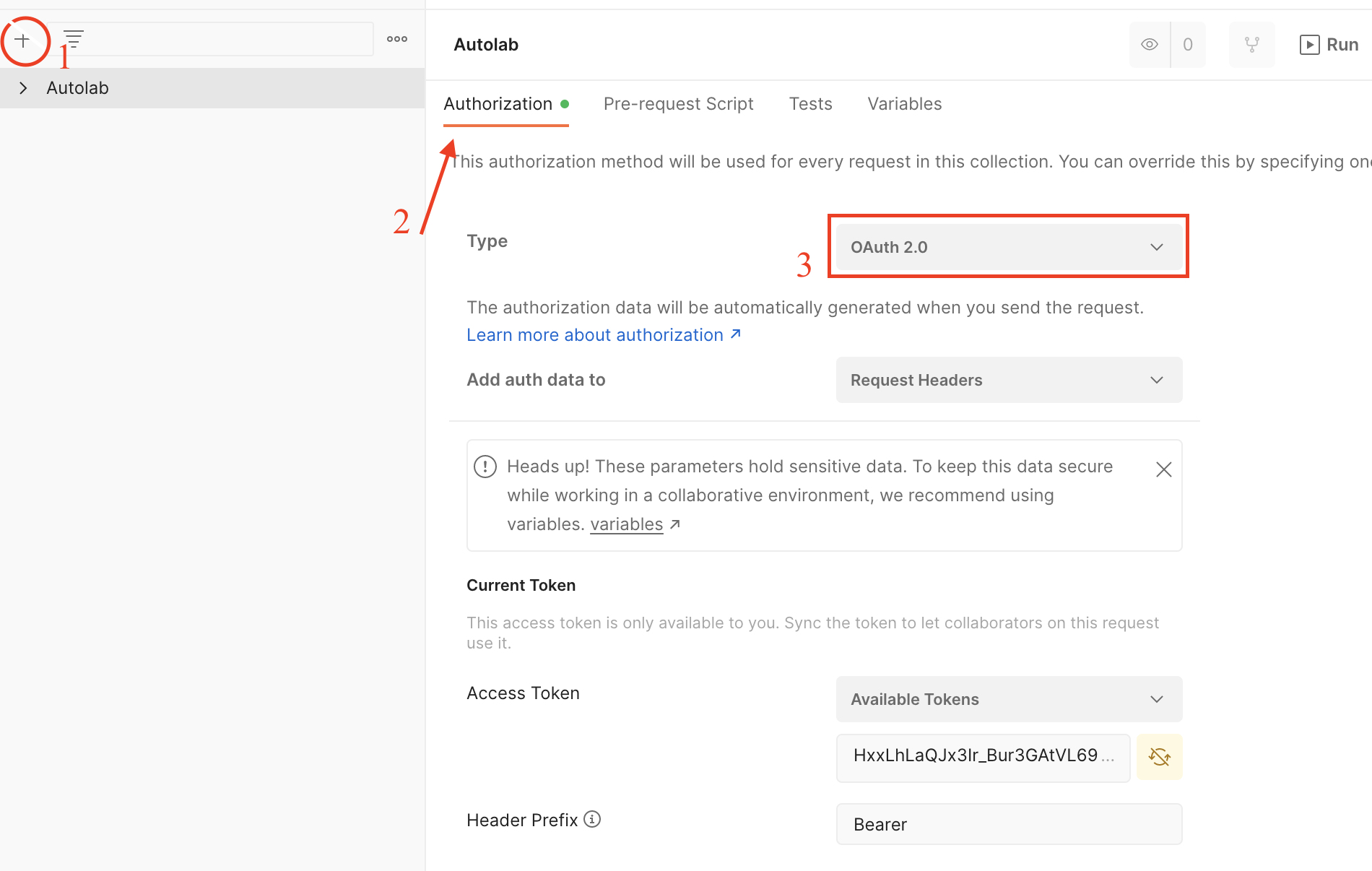
Setup Postman
Screen Shot 2022-11-13 at 1 50 54 PM

  1. Create new collection
  2. Go to authorization tab
  3. Set type to 'Oauth 2.0'

Scroll down to 'Configure New Token'

  1. Use 'https://oauth.pstmn.io/v1/browser-callback' for callback url
  2. Use 'http://localhost:3000/oauth/authorize' as auth URL
  3. Use 'http://localhost:3000/oauth/token' as access token URL
  4. Use 'user_info user_courses user_scores user_submit instructor_all admin_all' as scope
  5. Click 'Get New Access Token'
  6. Log into Autolab then return to Postman
  7. Click 'Use Token'

Screen Shot 2022-11-13 at 2 20 42 PM

Create new request for each of the following requests

POST /courses/{course_name}/assessments/{assessment_name}/problems

  • Body: {name: problem1, max_score: 100}
  • Verify on Autolab that the assessment has problem1 with max_score 100.

GET /courses/{course_name}/assessments/{assessment_name}/scores

  • Verify that correct scores for each users' submissions is returned

GET /courses/{course_name}/assessments/{assessment_name}/scores/{email}

  • Verify that correct scores for each user's submissions is returned

PUT /courses/{course_name}/assessments/{assessment_name}/scores/{email}

  • Add problem1, and problem2 (both with max_score 100) to this assessment.
  • Make a group that includes the user defined by {email} and add another student
  • Accept the group invitation for the other student
  • Make a submission as the user defined by {email}
  • Make a request with body: {problems: {problem 1: 90, problem 2: 10}}
    • Verify that user defined by {email}'s score on most recent submission was updated
    • Verify that the other group member's score was not updated
  • Make a request with body: {problems: {problem1: 90, problem2: 10}, update_group_scores: true}
    • Verify that all users that are a part of user's group have the scores on their most recent submission updated
  • Ensure there is no problem with name problem3 for this assessment
  • Make a request with body : {problems: {problem1: 1, problem2: 1, problem3: 10}}
    • Verify that the user defined by {email}'s score on the most recent submission was not updated
    • Verify that the request response is of the form "error": "'problem3' not found in this assessment"
  • Make a request with body : {problems: {problem1: 1, problem2: 1, problem3: 10}, update_group_scores: true}
    • Verify that all users that are a part of user's group have the scores on their most recent submission not updated
    • Verify that the request response is of the form "error": "'problem3' not found in this assessment"

Types of changes

  • Bug fix (non-breaking change which fixes an issue)
  • New feature (non-breaking change which adds functionality)
  • Breaking change (fix or feature that would cause existing functionality to change)

Checklist:

  • I have run rubocop for style check. If you haven't, run overcommit --install && overcommit --sign to use pre-commit hook for linting
  • My change requires a change to the documentation, which is located at Autolab Docs
  • I have updated the documentation accordingly, included in this PR

@victorhuangwq
Copy link
Copy Markdown
Contributor

victorhuangwq commented Nov 17, 2022

Tested: POST /courses/{course_name}/assessments/{assessment_name}/problems

  • Seems like you are allowed on autolab to create multiple problems with the same name
  • Tested with some invalid cases. Works

Tested GET /courses/{course_name}/assessments/{assessment_name}/scores

  • Works as expected

GET /courses/{course_name}/assessments/{assessment_name}/scores/{email}

  • Works as expected

PUT /courses/{course_name}/assessments/{assessment_name}/scores/{email}

  • It's allowed to exceed max score, is. that intended behavior?
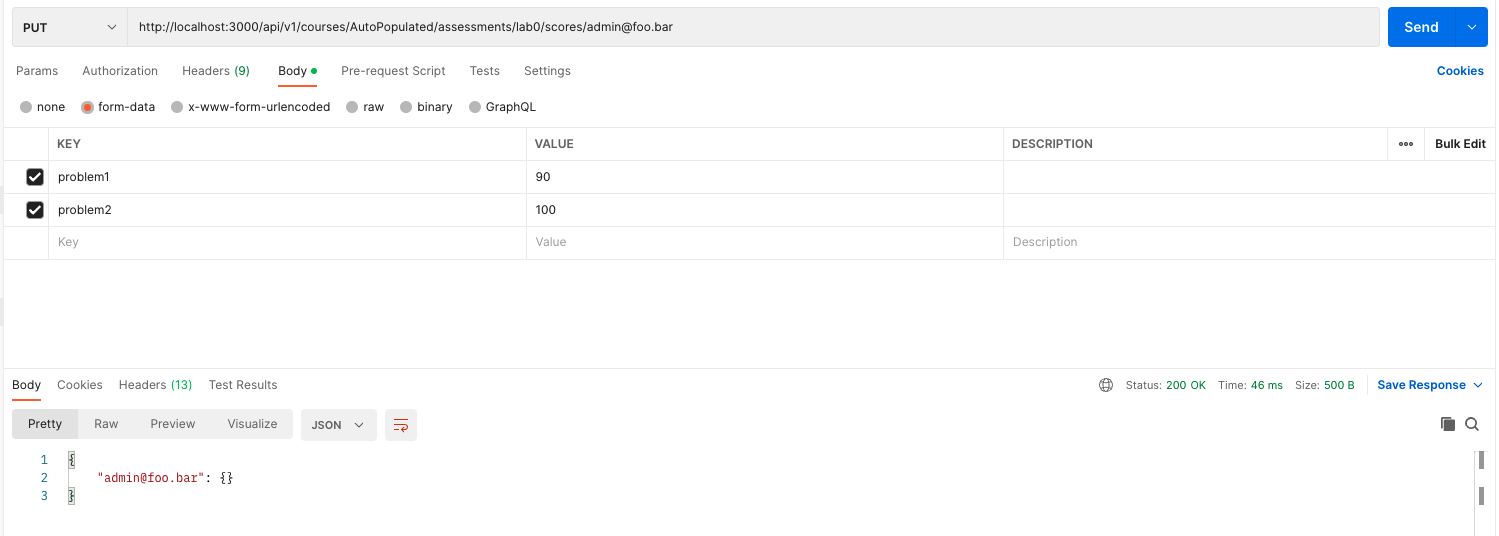
  • Unable enter score unless it has been "graded": I submitted a new file. It shows up as a bunch of dashes
    image
  • I call the endpoint with problem1 and problem2
    image
    and it returns nothing
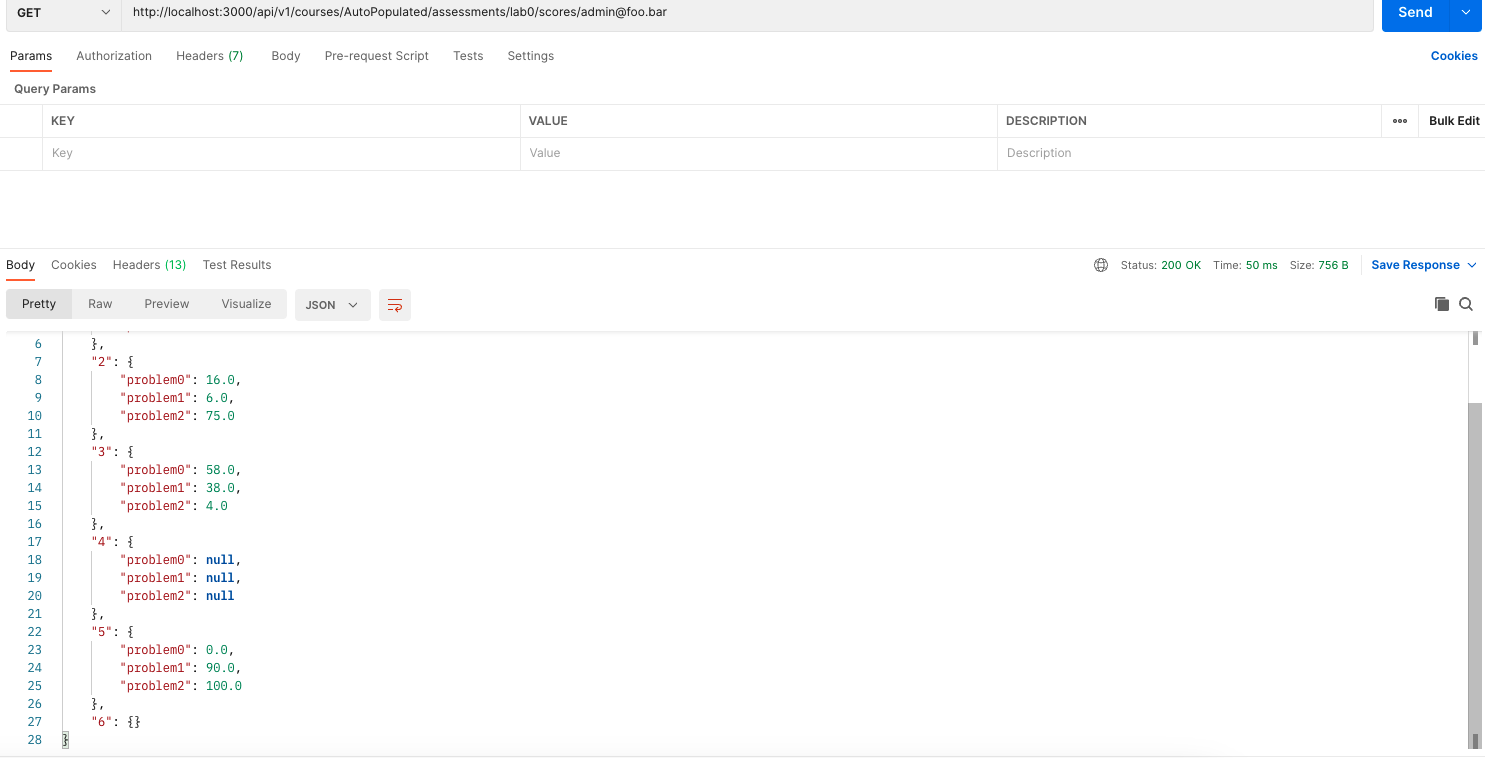
  • Calling the get endpoint shows that 6, the latest assignment has no score
    image
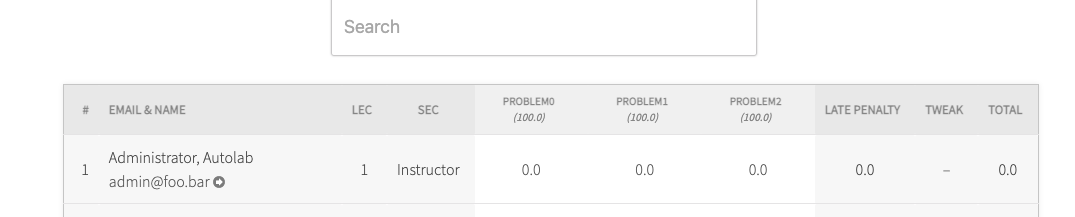
  • I grade the assignment using the gradesheet
    image
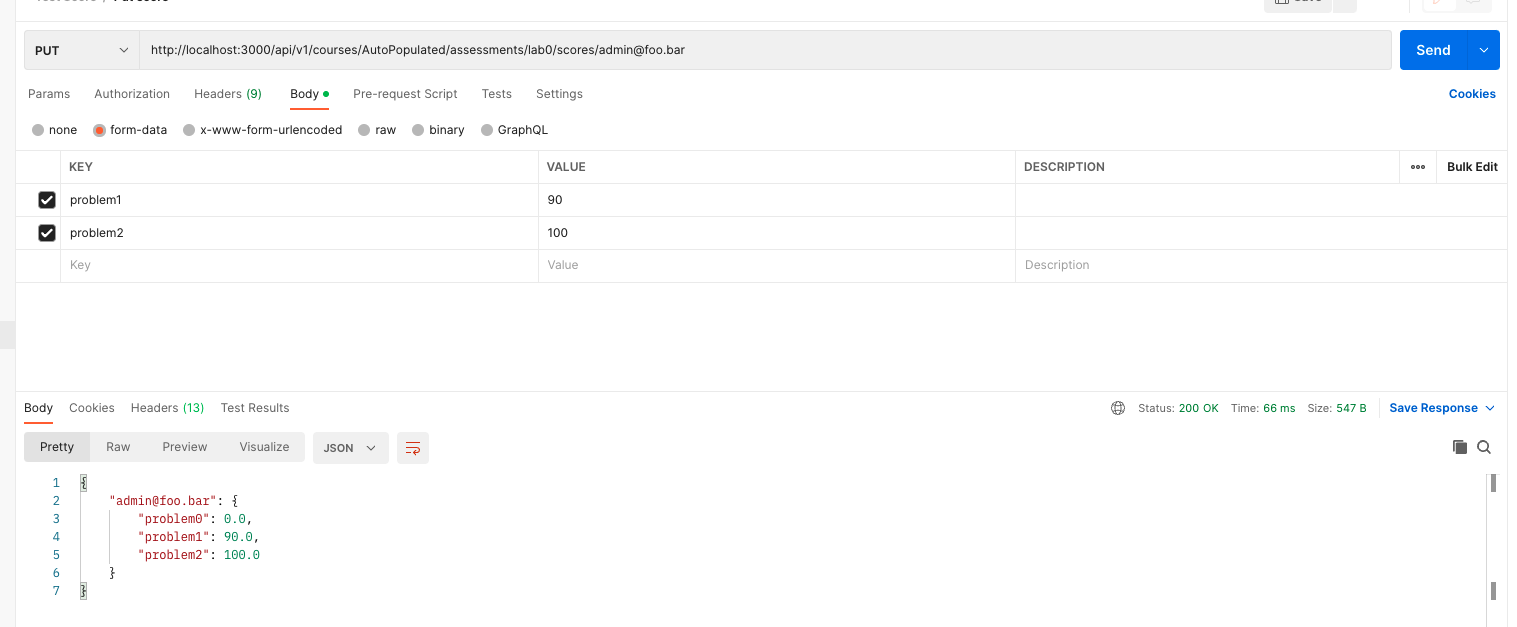
  • Now I am able to put the score
    image

Copy link
Copy Markdown
Contributor

@victorhuangwq victorhuangwq left a comment

Choose a reason for hiding this comment

The reason will be displayed to describe this comment to others. Learn more.

Tested API endpoints locally. Left comments on the scenarios that doesn't work

@najclark
Copy link
Copy Markdown
Contributor Author

najclark commented Dec 1, 2022

The API allows for problems with the same name, and for scores that exceeds the max score because this seems to be the existing behavior using the Autolab website.

Copy link
Copy Markdown
Contributor

@victorhuangwq victorhuangwq left a comment

Choose a reason for hiding this comment

The reason will be displayed to describe this comment to others. Learn more.

Some initial comments

Copy link
Copy Markdown
Contributor

@victorhuangwq victorhuangwq left a comment

Choose a reason for hiding this comment

The reason will be displayed to describe this comment to others. Learn more.

Tested and all endpoints works as expected. Good work.
Approved PR as it is functionally correct, but I left a comment on how we are naming the endpoints.

config/routes.rb Outdated
resources :scores, only: [:index, :show],
param: :email, :constraints => { :email => /[^\/]+/ }

put "scores/:email", :constraints => { :email => /[^\/]+/ }, to: "scores#update_latest"
Copy link
Copy Markdown
Contributor

Choose a reason for hiding this comment

The reason will be displayed to describe this comment to others. Learn more.

I don't think we should repurpose
scores:/email to update latest, but perhaps create something like scores/:email/update-latest.

Because if we are putting scores:/email, we should be going with the default update behavior, not update_latest.

@najclark najclark merged commit 98e0614 into master Dec 3, 2022
@najclark najclark deleted the api-endpoints branch December 3, 2022 23:47
Sign up for free to join this conversation on GitHub. Already have an account? Sign in to comment

Labels

None yet

Projects

None yet

Development

Successfully merging this pull request may close these issues.

2 participants