Speedgrader Draggable/Resizable Components#1486
Merged
michellexliu merged 25 commits intomasterfrom Apr 5, 2022
Merged
Conversation


… render it in observer

Contributor
|
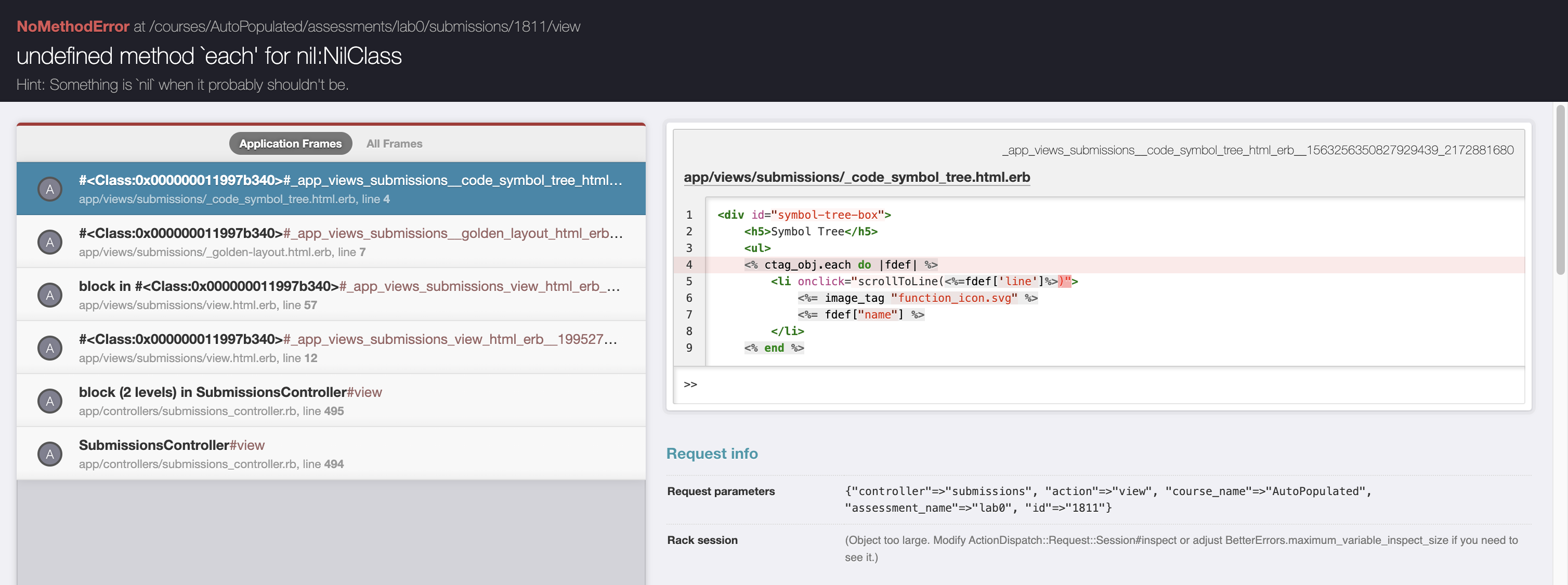
Test uploading a PDF, and I get the following error |
Contributor
|
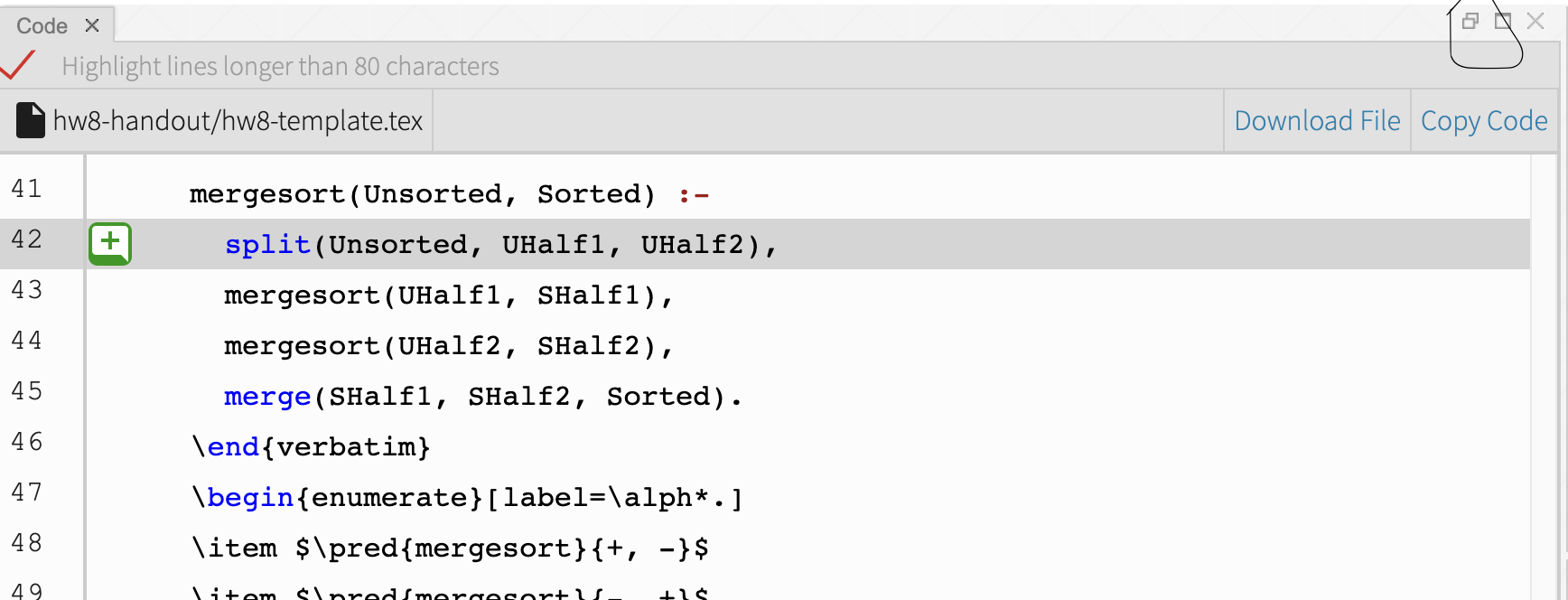
Further tested the following
|
Contributor
|
Contributor
|
|
Contributor
|

victorhuangwq
approved these changes
Apr 3, 2022

| } | ||
| // Reloads the grades part upon update | ||
| $('.problemGrades').load(document.URL + ' .problemGrades'); | ||
| $('.problemGrades').load(document.URL + ' .problemGrades') |
Contributor
There was a problem hiding this comment.
nit: the semi-colon seems to have been accidentally removed?
| // if all components have been loaded, load the annotations js files | ||
| componentsLoaded += 1; | ||
| if (componentsLoaded === numComponents) | ||
| $('body').append("<%= j render(:partial => 'annotations_js') %>"); |
Contributor
There was a problem hiding this comment.
very interesting workaround
|
|
||
| <div style="width:300px"> | ||
| <p>Click on a line of code to annotate. You will see text boxes for a comment, value and problem. If you enter a value, you're annotation will be added to the summary. Try tabbing between boxes to save time.</p> | ||
| <p>Click on a line of code to annotate. You will see text boxes for a comment, value and problem. If you enter a value, your annotation will be added to the summary. Try tabbing between boxes to save time.</p> |


This file contains hidden or bidirectional Unicode text that may be interpreted or compiled differently than what appears below. To review, open the file in an editor that reveals hidden Unicode characters.
Learn more about bidirectional Unicode characters
Sign up for free
to join this conversation on GitHub.
Already have an account?
Sign in to comment
2 participants


Add this suggestion to a batch that can be applied as a single commit.This suggestion is invalid because no changes were made to the code.Suggestions cannot be applied while the pull request is closed.Suggestions cannot be applied while viewing a subset of changes.Only one suggestion per line can be applied in a batch.Add this suggestion to a batch that can be applied as a single commit.Applying suggestions on deleted lines is not supported.You must change the existing code in this line in order to create a valid suggestion.Outdated suggestions cannot be applied.This suggestion has been applied or marked resolved.Suggestions cannot be applied from pending reviews.Suggestions cannot be applied on multi-line comments.Suggestions cannot be applied while the pull request is queued to merge.Suggestion cannot be applied right now. Please check back later.
Description
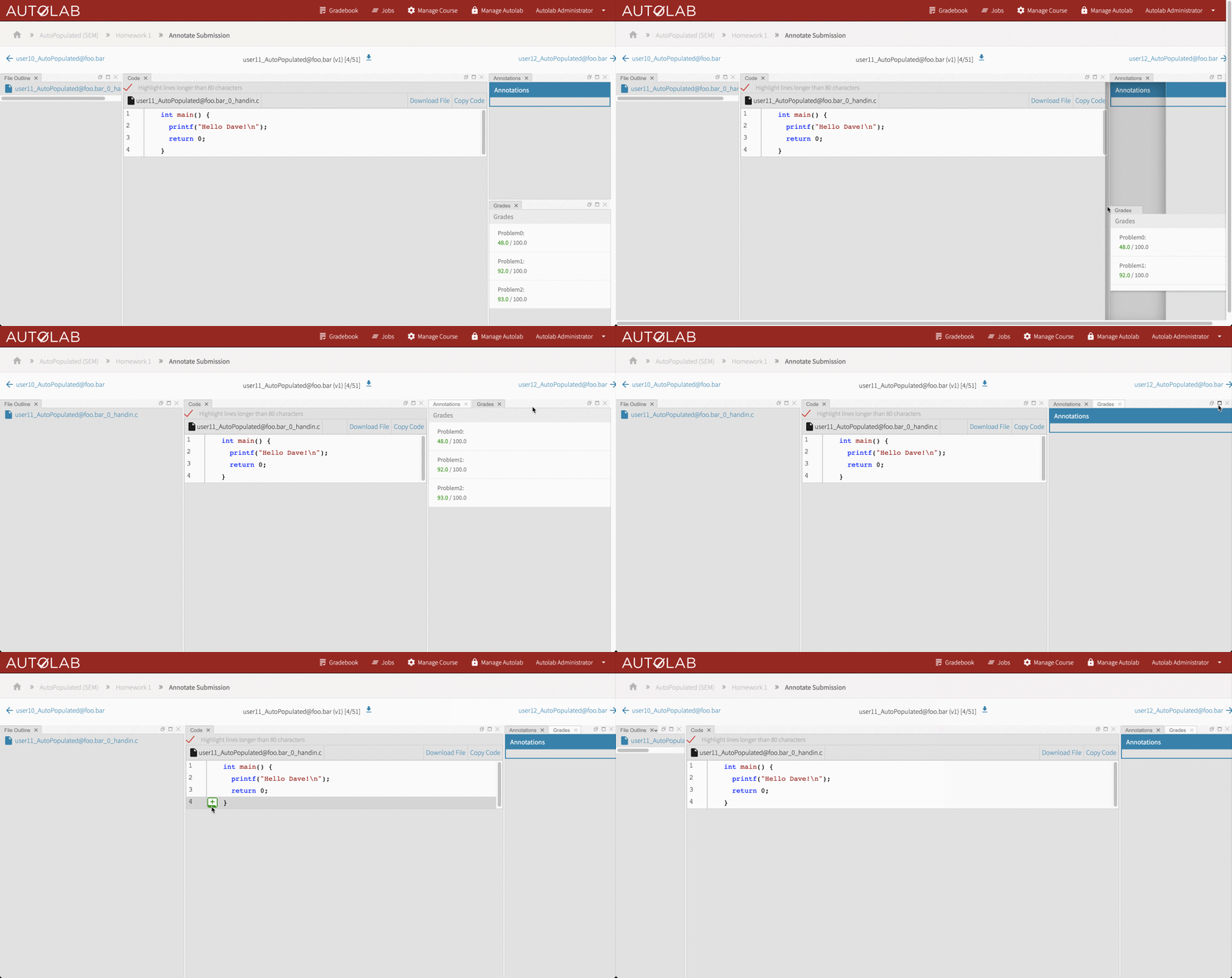
This PR introduces draggable, expandable, and resizable components to the speedgrader page using the Golden Layout JavaScript library.
Motivation and Context
Different classes use the speedgrader for different purposes and thus have different workflows. As a result, there are some components that some classes' course staff rely heavily on while grading, while others don't use. This introduces the motivation to make components resizable and movable, so that classes can expand the components that they use often and remove or minimize the ones they don't. By making components stackable, we also introduce the potential to fit additional speed-grader components on the page later on.
How Has This Been Tested?
Types of changes
Checklist:
overcommit --install && overcommit --signto use pre-commit hook for lintingOther issues / help required