Repository navigation
ssh gdb remote debug error #120
Description

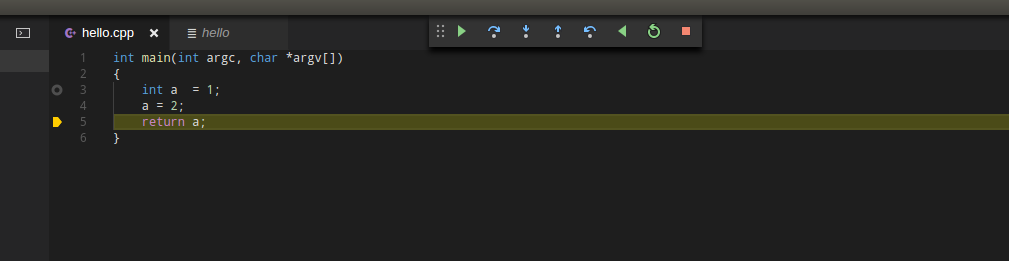
I'm going to do remote debugging in SSH mode. I wrote a very simple program, but the program stopped where there was no breakpoint. Continue operation will be reported wrong.
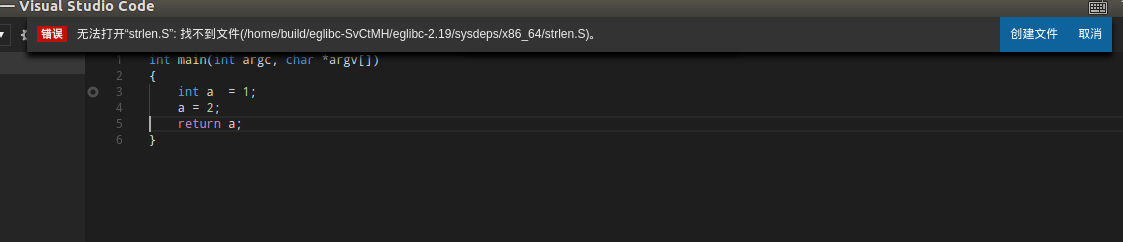
Tip: unable to open "strlen.S": cannot find file: /home/build/eglibc-SvCtMH/eglibc-2.19/sysdeps/x86_64/strlen.S.
this is launch.json:
{
	"version": "0.2.0",
	"configurations": [
		{
			"name": "C++ (remote)",
			"type": "gdb",
			"request": "launch",
			"target": "${relativeFile}",
			"cwd": "${workspaceRoot}",
			"ssh": {
				"host": "127.0.0.1",
				"user": "uli2k",
				"keyfile": "/home/uli2k/.ssh/id_rsa",
				"cwd": "/home/uli2k/hello"
			}
		}
	]
}
Activity
[-]ssh dbgremote debug[/-][+]ssh gdb remote debug error[/+]uli2k commentedon Aug 10, 2017
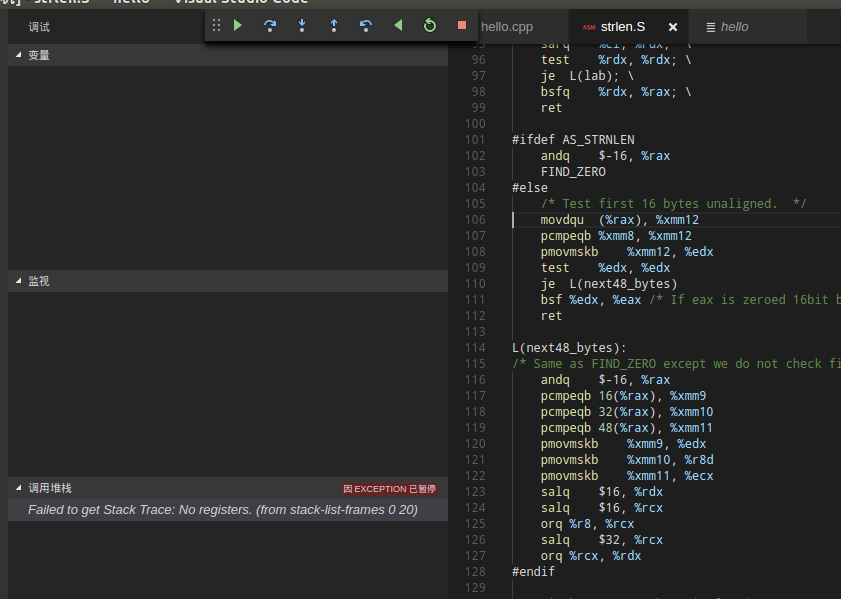
I downloaded the eglibc library, put it in /home/build, and run to strlen.S, 106 line, the following error occurred
WebFreak001 commentedon Aug 10, 2017
is the source on both sides (locally and remotely) the same and did you recompile it on the ssh side?
uli2k commentedon Aug 11, 2017
Yes, in order to verify this problem, I connect to local with SSH,The remote and local are actually the same executable file. but it's OK to use local debugging.
uli2k commentedon Aug 11, 2017
Sorry, I made a mistake. The correct test program source is this.
There is a stack trace error after entering ros:: init function in SSH remote debug mode, but the local gdb debugging is OK.
uli2k commentedon Aug 12, 2017
I found this might be GDB's Bug.There is a problem with the MI2 mode command, but the CLI mode is OK.
this is log.
MI2 MODE:
CLI MODE:
uli2k commentedon Aug 12, 2017
My program must run in Bash login mode. Is it logon mode when using the SSH connection?
WebFreak001 commentedon Aug 12, 2017
it should use your default shell but I don't think it can receive any input from stdin, try attaching instead of launching over ssh if you need that
uli2k commentedon Aug 12, 2017
The ros:init function just takes all the environment variables of bash,no stdio.What should I do?
WebFreak001 commentedon Aug 12, 2017
over ssh it does get environment variables, you just won't have those that setup because of some commands you run when you login.
GitMensch commentedon Mar 2, 2022
The ssh issues should be solved already.
Setting of the "main" breakpoint will also be able through the new settings
stopAtConnectandstopAtEntrywith the 0.26 release and setting of breakpoints in general should be improved with #313 (also target for 0.26).As this is an old issue and already seems to be fixed -> closing. Feel free to update if you still see issues with the recent version and we can re-open.